Professional AI Prompts
Elevate Your AI Workflow: A Detailed Look at the 7-Template Production Pipeline
Maintaining consistency across multi-model AI pipelines is one of the biggest hurdles in modern digital creation. When you jump from text generation to image tools like Midjourney, and then to video platforms, minor variations in phrasing lead to major inconsistencies—such as fluctuating character features, inconsistent lighting, and broken narratives.
This comprehensive breakdown details the 7 specialized prompt frameworks included in the template to help you build an airtight, professional content generation pipeline.
Why Professional Prompts Matter?
Eliminates Character Drift: Locks down facial structures, wardrobe details, and unique traits across different software.
Saves Time & Tokens: Reduces costly trial-and-error iterations by embedding technical camera and lighting parameters directly into the prompt architecture.
Cross-Platform Compatibility: Standardizes outputs whether you are working in Claude, ChatGPT, Gemini, Midjourney, or video generation tools.
Deep Dive: The 7 Master Templates
AI Prompts for CONSISTENT Video, images, Audio, etc. Download this AI template now when you work in Claude, Gemini, ChatGPT, Midjourney, or Seedance2.5.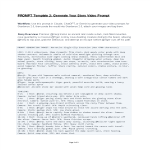
AI Multi-Purpose Prompts (Video, Audio, Characters, Environment, Images, etc)
- Key Focus: Establishes overarching style tags, color grading profiles, aspect ratios, and baseline motion vectors before passing data to video generators.
2. Story Video Prompt: Purpose: Sequences events chronologically to maintain narrative flow, pacing, and continuity from one shot to the next.
- Key Focus: Manages action beats, transition cues, temporal continuity, and dialogue alignment across multi-shot sequences.
3. Character Sheet: Purpose: Generates multi-angle, turn-around reference views and consistent descriptive tags for your talent.
- Key Focus: Locks in facial topology, eye color, distinct accessories, hair styling, and wardrobe textures to completely eradicate character drift.
4. Prop Sheet: Purpose: Creates isolated, high-detail reference sheets for key objects, tools, or items interacted with on screen.
- Key Focus: Defines material physics (e.g., weathered metal, polished glass), scale, intricate markings, and interactive handling properties.
- Key Focus: Controls sun angle, weather phenomena (fog, rain, dust), volumetric lighting, horizon scale, and architectural or natural geography.
- Key Focus: Manages practical lighting sources (lamps, neon, window spill), spatial depth, wall textures, clutter mapping, and room geometry.
7. Vehicle Sheet: Purpose: Standardizes cars, spaceships, boats, or any specialized transport featured in your production.
- Key Focus: Locks down mechanical livery, paint finish, decal placements, interior cockpit views, and movement-ready angles.
Pro-Tip: Feed these templates sequentially into an LLM (like Claude or Gemini) along with your project brief to generate a fully synchronized production bible before touching any image or video generation tool.
More AI Templates:
troducing the AI Cheat Sheet for Toolbar and Windows Template: Streamline Your Creative Workflow. Download our AI Adobe Software Cheatsheet Template today Easily create complex AI images with prompts. How to make A.I. from command prompt that gets results? Have you ever tried to add AI prompts in Gemini or Midjourney like 'crepuscular clouds' or 'twilight'? Download this AI prompts template now. How do I prompt in Chat GPT? If you want to use ChatGPT in education or to use ChatGPT to make money, download these common terms and questions for ChatGPT prompts template here AI Prompts for CONSISTENT Video, images, Audio, etc. Download this AI template now when you work in Claude, Gemini, ChatGPT, Midjourney, or Seedance2.5.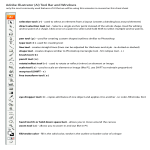
Adobe AI Cheatsheet for Toolbar and Windows
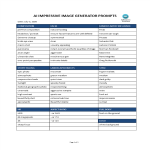
AI Prompts
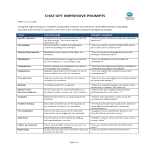
ChatGPT AI Prompts
AI Multi-Purpose Prompts (Video, Audio, Characters, Environment, Images, etc)