Standard operating procedure Google Docs templates
How to write a Standard Operating Procedure (SOP) Template in Google Docs
Using Google Docs to create a Standard Operating Procedure (SOP) template is straightforward and convenient. Follow these steps to get started:
Access Google Docs:
Open your web browser and visit Google Docs at docs.google.com. Log in to your Google account if you haven't already.
Open a New Document:
To start a new document, click on the "+ Blank" option to open a blank page. Alternatively, you can use a pre-made template by clicking "Template Gallery" and selecting a Standard Operating Procedure template if available.
Customize the Document:
Enter the necessary information for the SOP template, including:
- Title and Purpose: Clearly state the title of the SOP and its purpose. This section should explain why the procedure is necessary and what it aims to achieve.
- Scope: Define the scope of the SOP, specifying to whom and to what areas the procedure applies.
- Responsibilities: List the roles and responsibilities of individuals involved in the procedure. This helps clarify who is accountable for each step.
- Procedure: Outline the steps of the procedure in a clear and logical order. Use numbered lists or bullet points to make it easy to follow. Include detailed instructions, necessary tools, and any safety precautions.
- Supporting Documents: Mention any supporting documents or forms that are required to complete the procedure. Provide links or references to these documents if available.
- Review and Approval: Include a section for review and approval, where the document can be signed off by the relevant authorities.
Format Your Document:
Set up the document with the appropriate formatting. Adjust the font style, size, and color using the toolbar at the top. To customize page margins and orientation, go to "File" > "Page Setup."
Insert Elements:
To add images, charts, or diagrams that help illustrate the procedure, go to "Insert" > "Image" or "Insert" > "Drawing" and upload the files from your computer or the web. You can also insert tables to organize information more effectively by going to "Insert" > "Table."
Save Your Document:
Google Docs automatically saves your work as you type. For added security, you can manually save by clicking on "File" > "Save" or using the keyboard shortcut (Ctrl + S on Windows, Command + S on Mac).
Collaborate and Share:
One of the significant advantages of using Google Docs is the ability to collaborate in real-time. Click the "Share" button in the top-right corner to invite collaborators via email. You can grant them permission to view, comment, or edit the document.
Review and Edit Revisions:
Google Docs keeps track of changes, making it easy to review and edit revisions. Go to "File" > "Version history" > "See version history" to view and restore previous versions of your document.
Download or Print:
Once your SOP template is complete, download it in different formats by going to "File" > "Download." To print your document, select "File" > "Print."
Close and Exit:
When you're finished, close the document or tab. Google Docs automatically saves your changes, so there's no need to worry about losing your work.
That's it! You've successfully created a Standard Operating Procedure template using Google Docs. Whether you're documenting procedures for a small business or a large organization, Google Docs offers a user-friendly platform with robust features for efficient and effective document creation.
-
Financial Standard Operating Procedure
How to create a financial standard operating procedure (SOP) manual? Download this Financial Standard Operating Procedure template now!
View template -

Army Standard Operating Procedure
How to write an Army Standard Operating Procedure? An easy way to start completing your procedure is to download this sample SOP template now!
View template -

Administrative Standard Operating Procedure
How to write an Administrative Standard Operating Procedure? An easy way to start completing your procedure is to download this Administrative SOP template now!
View template -
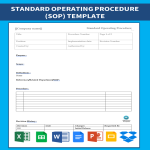
Standard Operating Procedure (SOP) Template
How to make a Standard Operating Procedure (SOP)? Download this professional Standard Operating Procedure template now!
View template -
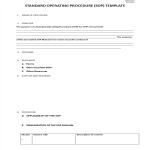
Standard Operating Procedure Template
How to write a Standard Operating Procedure (SOP)? Download this quality management tool, the Standard Operating Procedure Template now!
View template
Latest topics
- AI Cheat Sheet
How to Prompt Perfectly? Check out this 11 Essential AI Prompting Cheat Sheet, the Ultimate AI Prompt Engineering Guide! - How To Buy Akiya Japan?
How To Buy Akiya Japan? From Starting Your Search To Hosting Your Guests... - Top Hotel Templates
Are you looking for effective strategic, tactical and operational hotel templates to improve your hotels' efficiency and effectiveness? These easy to amend hotel templates can help you out! - How to train for a Marathon?
These tips and best practices are written for those who wants to succeed in finishing a half or full marathon! if you are a pro or amateur, this information is suitable for you! - Halloween Templates
Browse throug these free Halloween templates and use them for your party or event! If you are looking for the funniest, craziest Halloween stencils and templates, look no further!