The easy way to maximize your productivity with artificial intelligence is to skip the trial-and-error phase entirely.
Every day brings a new wave of emails, reports, data analysis, and creative projects. Many of these day-to-day tasks are highly repetitive—meaning you shouldn't have to reinvent the wheel every single time you open a prompt box!
Instead of starting from scratch or typing out long, vague sentences, using standardized AI Prompt Templates gives you an immediate blueprint for success.
Whether you are using ChatGPT, Claude, or Gemini for education, content creation, or business operations, clear and specific structures guarantee faster, more accurate, and highly professional results.
To help you professionalize your workflow, we have built a comprehensive library of free, ready-made AI Prompt Templates. If time or quality is of the essence, these frameworks allow you to skip the formatting headache and focus on what really matters.
11 Essential AI Prompting Cheat Sheets
We have broken down the art of prompt engineering into 11 distinct categories, offering fully customizable Microsoft Office, Google Docs or PDF cheat sheets for your specific needs:
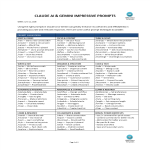
How to write a prompt for Gemini AI, ChatGPT or Claude AI? Getting the exact output you want from an AI agent is NOT a guessing game! Download AI Cheat sheet for free here!
1. Start & Create in AI: Kickstart fresh conversations, set up new projects, or seamlessly upload and ingest files.
2. Focus & Context: Set strict guardrails, establish background rules, and specify constraints so the AI never loses the plot.
3. Think & Solve Templates: Force the AI to use step-by-step reasoning, challenge assumptions, and weigh pros and cons.
4. Write & Edit: Perfect for thesis writing, YouTube video scripts, drafting emails, or polishing existing copy.
5. Organize & Structure Prompts: Instantly turn messy blocks of text into clean markdown tables, outlines, and summaries.
6. Code & Tech: Streamline your programming with structured prompts for debugging, refactoring, and documentation.
7. Data & Analysis: Extract deep quantitative insights, clean raw data, and generate structured executive reports.
8. Automate & Integrate: Design efficient workflows, outline multi-step task lists, and map out daily checklists.
9. Personalize & Control: Hardcode your unique brand voice, adjust persona preferences, and lock in your target audience.
10. Learn & Research: Dive deep into complex topics, fact-check information, and generate fast summaries of long papers.
11. Collaborate & Share prompts: Safely package, extract, clean, and share your most successful prompt creations with your team.
Interface Quick Tip: AI tools work best with clear, concise, and structured text. When drafting a complex prompt, you can easily separate your instructions from your raw data by pressing "Shift + Enter" to create a clean line break.
PRO-TIP FOR COMBINING TEMPLATES:
Don't use these frameworks in isolation. For maximum efficiency, chain your commands together inside the prompt window.
Using these standardized document templates guarantees you will save time, cost, and effort. They come ready to be tailored to your personal and professional needs—completing your daily tasks has never been easier!
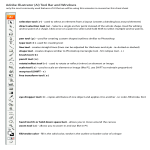
troducing the AI Cheat Sheet for Toolbar and Windows Template: Streamline Your Creative Workflow. Download our AI Adobe Software Cheatsheet Template today
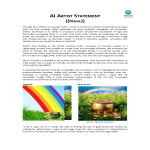
How to write a statement for an AI artist? Are you savvy with Midjourney, Nightcafe, Dalle AI etc, and you want to have a professional statement? Download this AI Statement now.
How to write a Job Description for an AI artist or designer? Remember to use clear and concise language, avoid jargon, and make the job description engaging and
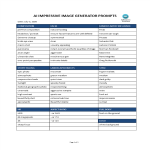
Easily create complex AI images with prompts. How to make A.I. from command prompt that gets results? Have you ever tried to add AI prompts in Gemini or Midjourney like 'crepuscular clouds' or 'twilight'? Download this AI prompts template now.
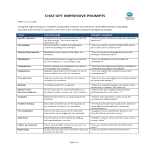
How do I prompt in Chat GPT? If you want to use ChatGPT in education or to use ChatGPT to make money, download these common terms and questions for ChatGPT prompts template here
In need of a pre-made job description for AI machine learning engineer? This sample job description template aims to aid you in making you job searching effective.
How to write a prompt for Gemini AI, ChatGPT or Claude AI? Getting the exact output you want from an AI agent is NOT a guessing game! Download AI Cheat sheet for free here!